
Automatic saving
Local backups continue if the server connection drops. Remote saves are queued to retry when the connection returns.
For schools and exams teams
ExamDash is being developed for candidates who type their exam answers. It combines a Windows writing app with a staff dashboard for finding, recovering and printing work.
In development. Not yet available for general release or live exam use. Register your interest to find out more.
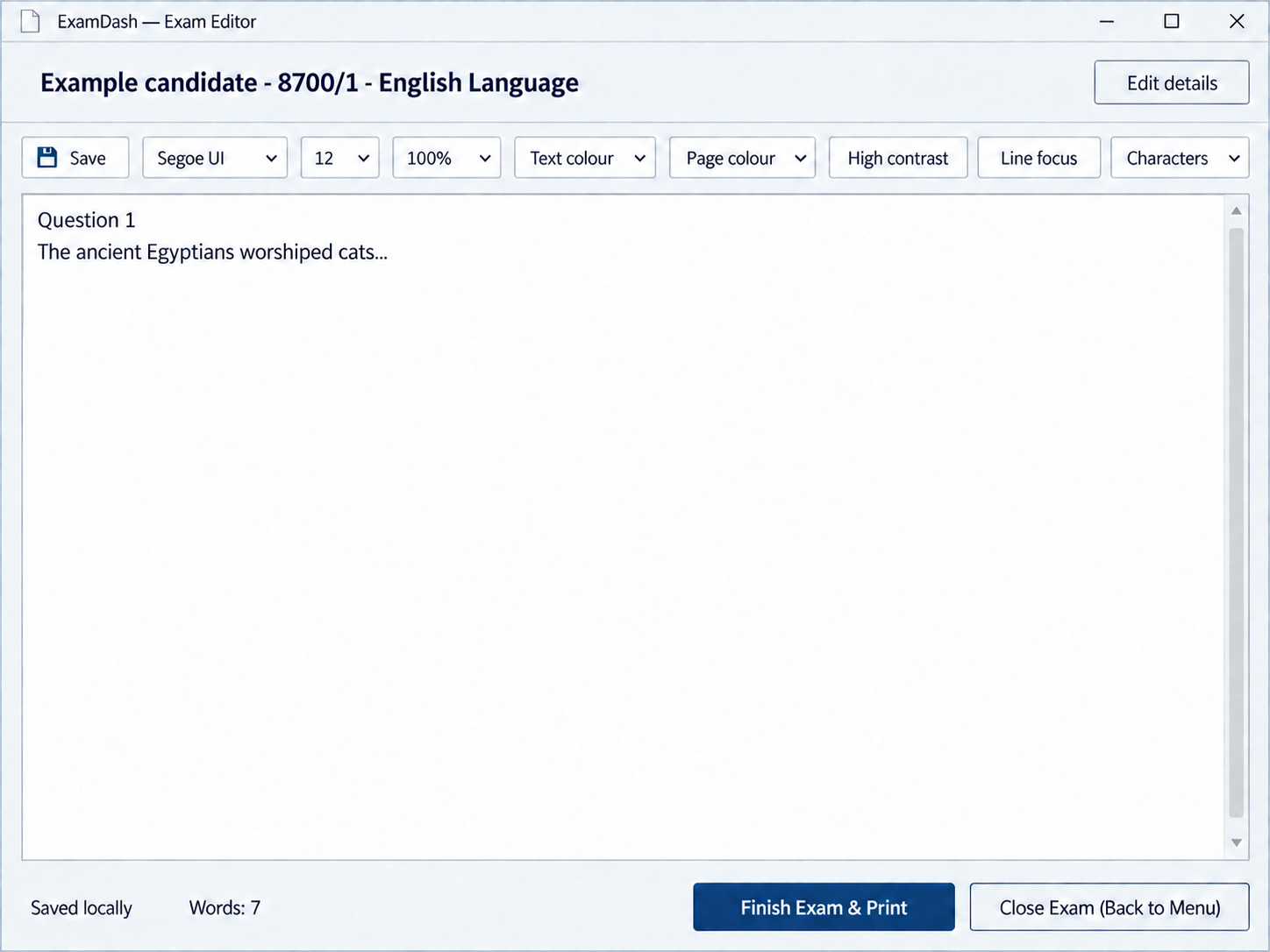
How it works
The current version brings candidate details, written answers and printing into one application.
Enter the candidate, centre and paper details before writing begins.
The candidate writes in the Windows app, with adjustable text size and screen colours.
The app saves copies on the device and sends work to the server when connected.
Print answers with candidate and paper details. Staff can also download PDFs from the dashboard.
In the current version
The current version includes automatic saving, recovery options and adjustable writing preferences.
Local backups continue if the server connection drops. Remote saves are queued to retry when the connection returns.
Staff can find and reopen a candidate's work from today, using available local backups or saved server copies.
Open two related papers side by side, with separate answers and printouts for each paper.
Adjust font size, spacing and screen colours without changing the standard printed layout.
For exams officers and IT staff
Find exam records, review saved work and print answers through a web browser. Staff access is organised by role and school.